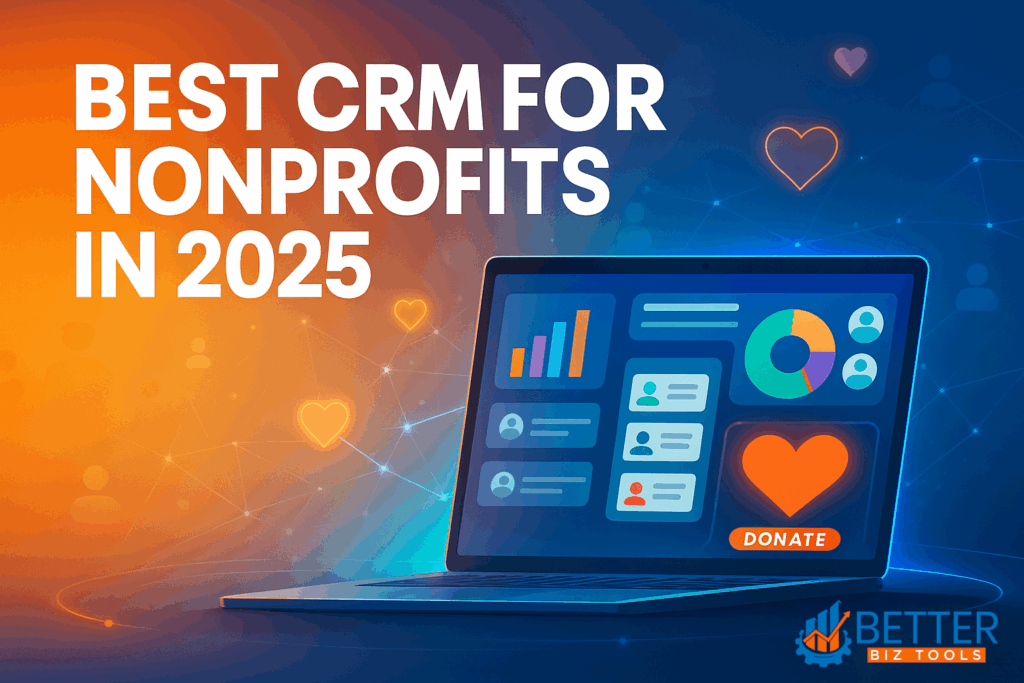
A few years ago, I worked with a small but passionate nonprofit that was struggling to keep track of its donors. They had spreadsheets everywhere, emails going unanswered, and event attendees who were never followed up with. Sound familiar? That’s exactly where a CRM for Nonprofits can make all the difference—bringing structure, automation, and clarity to donor management.
The truth is, no matter how noble your mission is, if you can’t manage your relationships with donors, volunteers, and supporters, you’re leaving impact—and funding—on the table. That’s where a CRM comes in.
In this guide, I’ll walk you through what a CRM for nonprofits really is, why it’s essential in 2025, what features to prioritize, and my top picks (based on actual use, not just sales pages). Whether you’re just getting started or scaling up, I’ve got you covered.
What Is a CRM for Nonprofits? (And Why It’s Different)
At its core, CRM stands for Customer Relationship Management—but in the nonprofit world, your “customers” are your donors, volunteers, advocates, and even beneficiaries.
Unlike sales-driven CRMs for businesses, nonprofit CRMs are designed to manage supporter relationships, track donations, automate outreach, and centralize all interactions. Whether you’re a charitable organization, philanthropic institution, or a grassroots volunteer group, a CRM for nonprofits keeps your mission on track. If you’re a smaller organization, you might be specifically searching for the best CRM for small nonprofits to ensure you get powerful features without overwhelming complexity.
Think of it as your nonprofit’s memory—it remembers who gave what, when they gave it, why they gave, and how you thanked them.
Why CRM for Nonprofits Need in 2025
Real Benefits That Go Beyond Donor Management
Over the years, I’ve seen firsthand how transformative a CRM can be. Once, we implemented a CRM for Nonprofits for a client who had never sent out a donor email. Within a year, their retention rate jumped 30%.
Here’s why:
Centralized supporter data – no more spreadsheets
Automated email campaigns for appeals and thank-yous
Donor insights – know who’s likely to give again
Volunteer tracking and segmentation
Real-time reporting to measure impact
A well-implemented CRM for Nonprofits is like hiring a digital assistant who never forgets.
Fundraising Made Smarter
The best CRM for nonprofits doesn’t just store donor info—they help you use it to fundraise smarter. Features like giving history, donation patterns, and campaign performance help you fine-tune your asks.
Plus, tools for peer-to-peer fundraising, event registration, and recurring gift setup make fundraising a seamless part of your operations.
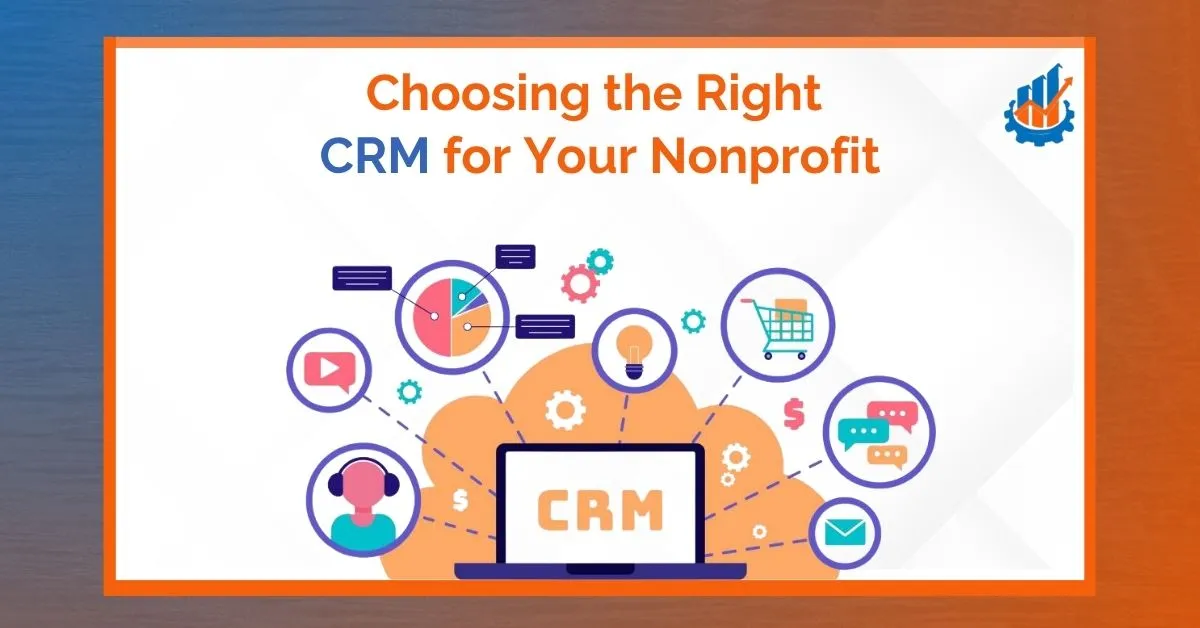
Choosing the Right CRM for Nonprofit
Key Features to Look For
I’ve helped dozens of organizations select and implement CRM for Nonprofits solutions. And here’s what I always advise:
Donation tracking & recurring giving
Email & SMS communication tools
Volunteer management modules
Third-party integrations (Mailchimp, QuickBooks, PayPal)
Data analytics & reports
Cloud access with mobile support
Customizable dashboards
The right CRM for Nonprofits should align with your organization’s size, goals, and budget.
Read: Best CRM with Marketing Automation for Small Business
Checklist – What to Consider Before Buying
Before jumping into a contract, ask yourself:
- Do we need donor, volunteer, or membership tracking—or all three?
- Will our team actually use the CRM, or is it too complex?
- Does it offer support and training?
- Is it scalable as we grow?
Choosing the best CRM software for nonprofits is about fit—not flash.
Best CRM for Small Nonprofits
If you’re a team of five or fewer, simplicity matters. Many CRMs are overbuilt for small nonprofits and come with hefty learning curves.
Look for tools that are:
- Affordable (or free)
- Easy to set up
- User-friendly dashboards
- Designed for nonprofits (not just repurposed sales tools)
Little Green Light, Bloomerang, and Kindful are great starting points. They provide powerful tools without overwhelming small teams.
Free & Open Source CRM Tools Worth Exploring
Free CRMs are attractive, especially for newer orgs. I’ve helped clients set up open-source systems like CiviCRM and SuiteCRM, and while they take some tech know-how, they’re incredibly flexible.
Free CRM for nonprofits options:
- CiviCRM – Open-source and packed with nonprofit tools
- SuiteCRM – Great if you have in-house IT support
- Bitrix24 – Includes collaboration tools as well
Pros:
- No cost for licenses
- Full data control
Cons:
- Requires hosting & setup
- Limited user support
Top 10 CRM for Nonprofits in 2025
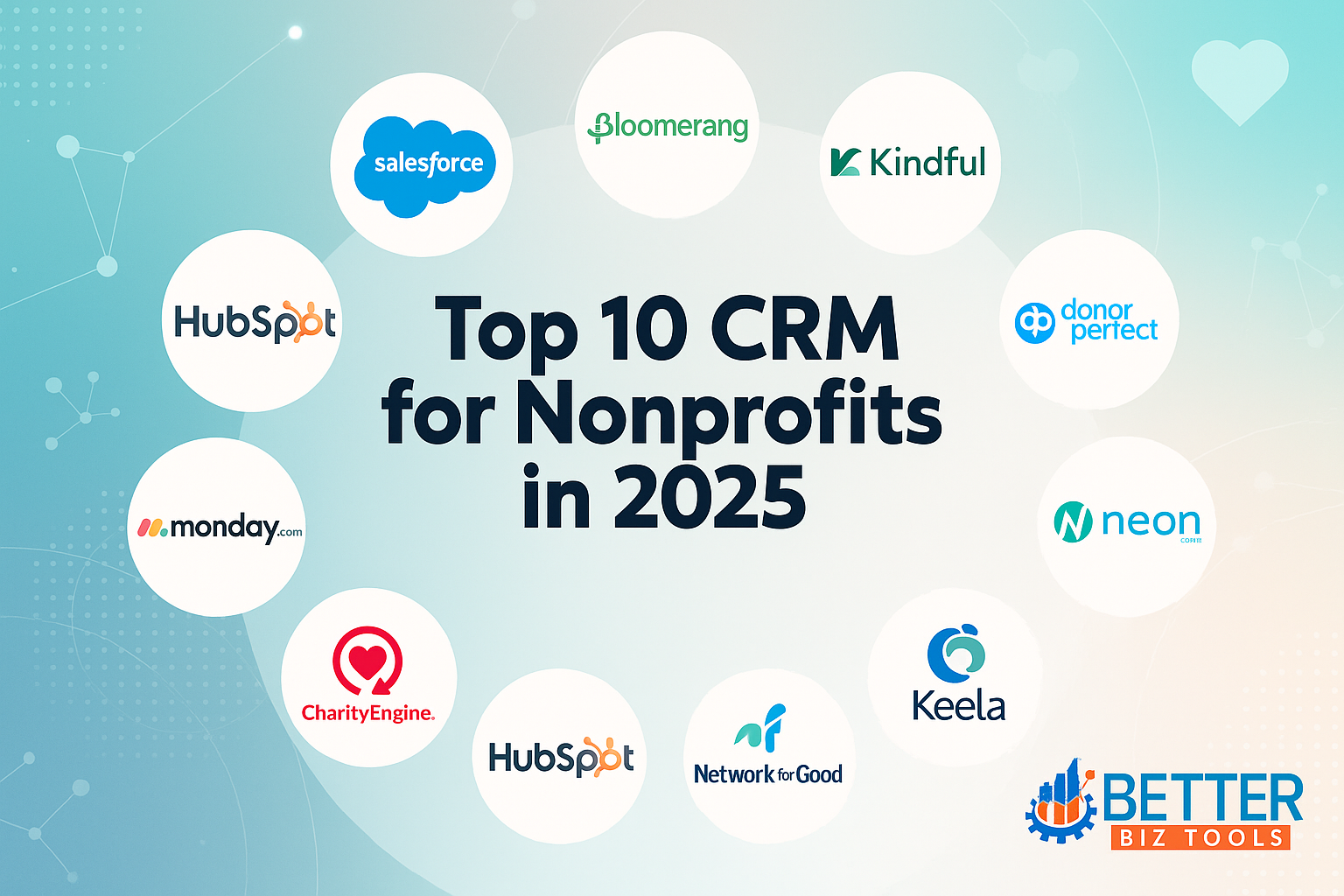
1. Salesforce CRM for Nonprofits (NPSP)
Salesforce is a giant—and with its Nonprofit Success Pack, it becomes a powerhouse for charitable organizations. I’ve seen it work well for mid to large nonprofits.
Pros:
- Extremely customizable
- Excellent reporting tools
- Massive app ecosystem
Cons:
- Steep learning curve
- Often needs a consultant to set up
Other Top-Rated Options
All these are strong contenders depending on your specific needs.
2. Bloomerang – Built Around Donor Relationships
When I first recommended Bloomerang to a small heritage nonprofit, they were surprised by how much their repeat donations improved—just by focusing on donor retention.
Pros:
- Deep donor engagement tools (lifecycle tracking, giving scores)
- Simple interface that your team will actually use
- Built-in email capabilities for consistent communication
Cons:
- Doesn’t allow much customization beyond the basics
- Reporting lacks the depth larger organizations sometimes need
Pricing: starts at $119/month for up to 1,000 contacts.
Best for: nonprofits that want a donor-focused CRM without complexity.
3. Kindful – Integration Made Simple
A literacy-focused charity I worked with chose Kindful because it synced seamlessly with Mailchimp and QuickBooks. It connected systems they were already using—no migration hassles.
Pros:
- Pulls data from other platforms effortlessly
- Clean, modern dashboard
- Helpful support team that responds quickly
Cons:
- Reporting features are limited compared to bigger players
- Add-on costs can accumulate
Pricing: starts at $100/month.
Best for: teams relying on multiple tools and wanting seamless data flow.
4. Little Green Light – A Solid Starter CRM
For small community groups moving away from spreadsheets, Little Green Light hits the sweet spot—no frills, solid tracking, and affordable pricing.
Pros:
- Very budget-friendly (from $45/month)
- Covers all core CRM needs—donors, events, gifts
- Quick and easy to set up
Cons:
- Lacks advanced automation or flashy dashboards
- Customization options are limited
Pricing: starts at $45/month (up to 2,500 contacts).
Best for: small nonprofits wanting a reliable, no-nonsense CRM.
5. DonorPerfect – A Trusted Classic in the Nonprofit World
Over the years, I’ve seen many nonprofits stick with DonorPerfect simply because it just works. Especially for organizations growing past spreadsheets but not quite ready for enterprise-level complexity, it’s a strong middle-ground option.
Pros:
- Streamlined donor tracking and communications
- Strong reporting features, including major donor targeting
- Excellent customer support and training resources
Cons:
- The interface feels outdated compared to newer CRMs
- Some advanced features cost extra
Pricing: starts at $99/month, with tiered pricing based on contact database size.
Best for: small to mid-sized nonprofits looking for a reliable, long-term donor management platform.
6. Neon CRM – A Flexible, Full-Spectrum Solution
Neon CRM is a name I recommend when a nonprofit says, “We want one platform to manage donors, events, memberships, and communications.” It can be as simple or robust as you need it to be, depending on how deep you dive into its features.
Pros:
- Powerful customization for campaigns and donor journeys
- Built-in tools for events, volunteers, email marketing, and forms
- Scales easily as your organization grows
Cons:
- Learning curve for staff unfamiliar with multi-module platforms
- Support response time can vary
Pricing: starts at $99/month, with pricing based on number of contacts and modules selected.
Best for: mid-sized nonprofits that want a single, all-in-one platform with room to grow.
7. Keela – Smart, AI-Powered CRM
Keela is one of the newer CRMs I’ve tested with clients, and the AI-driven insights genuinely help organizations target donors more effectively. One arts nonprofit saw a 20% increase in recurring gifts after using Keela’s suggested donor segments.
Pros:
- Built-in AI for donor behavior prediction and segmentation
- User-friendly interface that feels intuitive from the start
- Automated emails and workflows reduce manual work
Cons:
- Custom report building can be tricky for beginners
- Doesn’t offer as many third-party integrations as some competitors
Pricing: starts at $99/month, with plans scaling based on contacts and features.
Best for: nonprofits that want to use data to make smarter fundraising decisions without hiring an analyst.
8. CharityEngine – Built for Enterprise Impact
CharityEngine isn’t your average CRM for Nonprofits—it’s made for organizations running on a large scale. I worked with a national education nonprofit that used it to manage their donor pipeline, grants, events, and direct mail—all in one place.
Pros:
Incredibly robust system designed for scalability
Excellent data centralization across fundraising, marketing, and operations
Enterprise-grade security and compliance
Cons:
Complexity can be overwhelming without technical onboarding
High cost compared to simpler systems
Pricing: starts at $299/month, with custom plans available.
Best for: enterprise-level nonprofits managing high volumes of data and donor interactions.
9. HubSpot CRM – A Free Option with Big Potential
While HubSpot CRM wasn’t built only for nonprofits, I’ve seen organizations use its free tools to punch well above their weight. It’s especially good for nonprofits already familiar with digital marketing tools or those with limited budgets.
Pros:
- Generous free plan with up to 1M contacts
- Built-in email marketing, forms, and pipelines
- Excellent integration with platforms like Gmail, Google Ads, and Stripe
Cons:
- Doesn’t include nonprofit-specific tools out-of-the-box
- Marketing and automation features are gated behind higher pricing tiers
Pricing: Free for basic use; advanced plans start at $1,170/month (40% nonprofit discount available for eligible orgs).
Best for: digitally savvy nonprofits that want marketing and CRM tools under one roof without initial cost.
Explore: HubSpot’s free nonprofit tools
10. Monday.com (Custom CRM) – Extreme Flexibility
Monday.com isn’t a nonprofit CRM by default—but that’s what makes it so powerful. I’ve helped organizations use it to create highly customized CRM boards for tracking grants, volunteers, donations, and projects—all tailored to their unique workflow.
Pros:
- Visual, drag-and-drop boards that are highly customizable
- Great for team collaboration and task management
- Can be adapted for any process or data need
Cons:
- Requires time to build out your CRM setup
- Doesn’t offer donor-specific tools unless customized manually
Pricing: basic CRM features start at $10/user/month; advanced plans offer more automation and integrations.
Best for: nonprofits with in-house tech skills who want full control over how they manage contacts and campaigns.
See how Monday.com can adapt to your nonprofit
Read Also: Best CRM for Contractors: The Only Guide You’ll Need in 2025
Network for Good – CRM with Coaching Included
Network for Good isn’t just a software—it’s a service. This is one CRM for Nonprofits I often recommend to smaller nonprofits that not only need tools but guidance. Their built-in coaching can make all the difference if your team is new to fundraising strategy.
Pros:
- Easy-to-use donor management software
- Personalized fundraising coaching and templates
- Integrated email and text messaging tools
Cons:
- Limited advanced customization
- Not ideal for very large or data-heavy nonprofits
Pricing: starts at $100/month, with packages tailored around fundraising goals and staff size.
CRM for Nonprofits Comparison
| CRM Tool | Best For | Free Plan Available | Nonprofit Discount Available |
| Bloomerang | Donor retention focus | No | Yes |
| DonorPerfect | Small to mid-sized nonprofits | No | Yes |
| Neon CRM | Event-heavy organizations | No | Yes |
| Keela | AI-powered fundraising insights | No | Yes |
| CharityEngine | Enterprise-scale nonprofit operations | No | Custom pricing available |
| HubSpot CRM | Small or newly launched nonprofits | Yes | Yes (40% for eligible orgs) |
| Kindful | Simple fundraising with integrations | No | Yes |
| Monday.com CRM | Custom project and event tracking | Yes (Limited) | Yes |
| Network for Good | CRM with coaching for new nonprofits | No | Yes |
Real Nonprofit Case Study – Our First Year with a CRM
community org I worked with had never used a CRM for Nonprofits before. Their team tracked everything manually, and donor follow-ups were hit-or-miss.
After implementing Little Green Light, their fundraising campaign saw a 40% increase in repeat donations. Their volunteer hours doubled simply because reminders were automated.
It wasn’t magic—it was organization.
Common Mistakes Nonprofits Make with CRMs
I’ve seen organizations abandon their CRM for Nonprofits within six months because:
They chose based on brand, not features
They didn’t train staff properly
They ignored data hygiene
They didn’t appoint a CRM champion
Pro tip: Start small. Use only what you need. Scale as you go.
Conclusion: Let Your CRM Power Your Mission
CRMs aren’t just tools — they’re your mission’s support system. In 2025, having the right CRM for nonprofits is about more than organization; it’s about amplifying your impact.
Start by picking a tool that fits your workflow and grows with your team. Whether you’re managing 50 donors or 5,000, the best CRM for small nonprofits or large organizations alike can save time, boost donations, and let your team focus on what truly matters.
Ready to transform your donor management with a CRM for Nonprofits?
- For small nonprofits on a budget: Start with HubSpot’s free CRM
- For growing organizations: Try Monday.com’s flexible platform
- For donor-focused nonprofits:Learn more about Bloomerang’s retention approach
Which CRM are you exploring this year? The right choice could be the difference between surviving and thriving in 2025.
FAQs – Everything Nonprofits Ask About CRM for Nonprofits
+
+
+
+
+
+
+