In 2025, if you’re still juggling spreadsheets, sticky notes, or outdated software to manage your contracting business, you’re leaving money on the table. From roofing and electrical work to restoration and government projects, the right CRM for contractors can streamline your workflow, improve customer relationships, and ultimately boost profits.
I’ve been in this space for over a decade and have seen firsthand how the right tools can transform the way you work. This guide isn’t just another list—it’s based on deep experience, countless client interactions, and a clear-eyed look at where technology is heading.
Let’s dive into the best CRM for contractors in 2025 and how to choose one that fits your specific trade.
What is a CRM for Contractors?
A CRM (Customer Relationship Management) system helps you manage client interactions, job details, sales pipelines, and post-project follow-ups. But a CRM for contractors is tailored to industries like roofing, electrical, painting, general contracting, and restoration—built to understand your workflow, scheduling complexities, and client needs.
Key Benefits of CRM for Contractors::
- Centralized job management – One place for leads, clients, jobs, and communication.
- Automated customer follow-ups – Save hours with built-in reminders and templates.
- Mobile access for field teams – Stay updated while on-site.
- Quote, invoice, and payment tracking – Seamless workflow from bid to payment.
- Better team collaboration – Everyone on the same page, all the time.
If you’re a contractor, you need more than just a sales tracker—you need a CRM for Contractors that works the way you do.
Why Contractors Need CRM Software in 2025
The demands of construction and home services have evolved. In 2025, your competition is using CRM for Contractors platforms that are mobile-first, cloud-based, and capable of connecting the field and office, analyzing data, and helping teams close more jobs faster.
Top 2025 Trends:
- Mobile-first CRM platforms – Apps your crews can use on-site.
- AI-powered job tracking and lead scoring – Prioritize the right clients.
- Government-compliance tools – For public sector bidding.
- Cloud integrations with accounting/estimating software – Eliminate double entry.
- Voice-to-data tools – Log notes hands-free.
A robust CRM for Contractors doesn’t just help—it levels the playing field.
Top CRM Software for Contractors in 2025
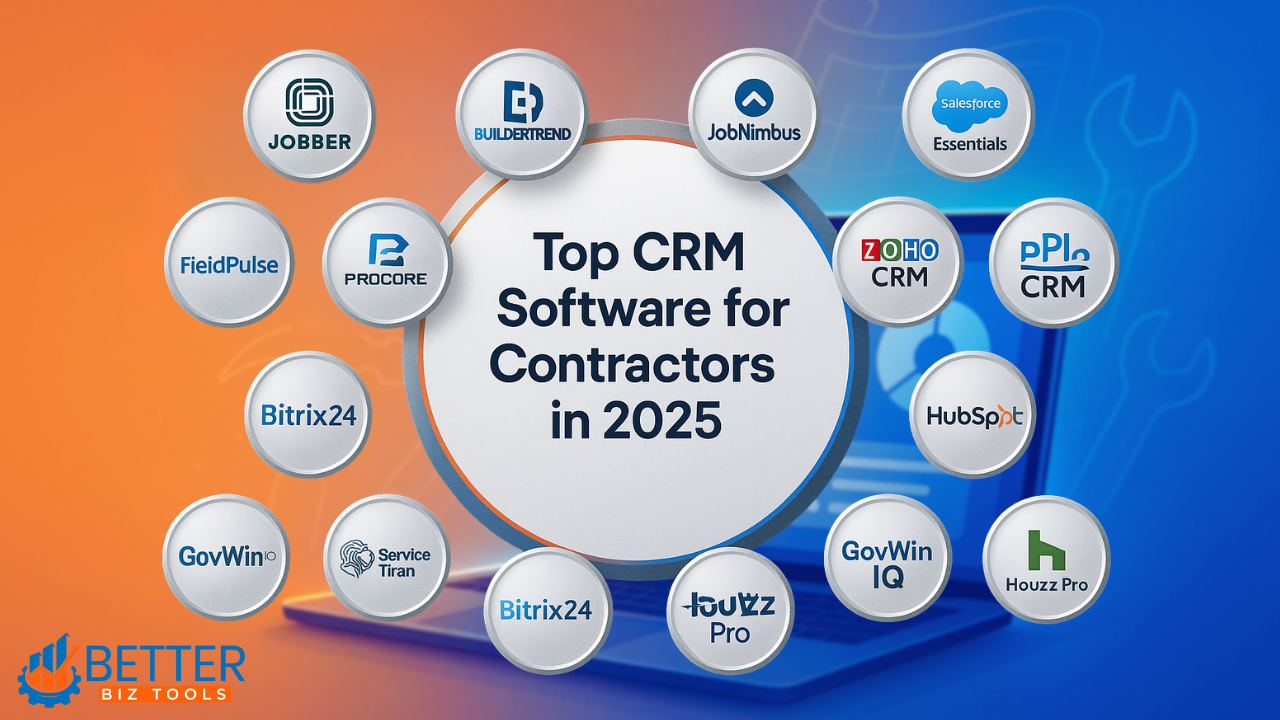
Below is a curated list of the best CRM for Contractors platforms, specifically designed to meet the needs of contractors across different trades. These tools are evaluated based on ease of use, feature set, pricing, and industry relevance.
1. Jobber – Ideal for Electrical Contractors and Solo Operators
Jobber is a robust yet user-friendly CRM designed for service-based businesses. It’s especially well-suited for electricians, HVAC specialists, and solo operators who need a fast and reliable system for managing day-to-day operations. If you’re looking for the best CRM for electrical contractors, Jobber is one of the strongest contenders thanks to its specialized features and ease of use.
Key Features:
- Estimate and invoice on-site or in the office
- Calendar and dispatching tools
- Mobile app with offline functionality
- QuickBooks and Zapier integration
Pricing: Starts at $19/month. 14-day free trial available.
Why It Stands Out:
A streamlined interface with powerful features makes Jobber a top choice for small electrical teams. One of my colleagues running a two-man electrical operation reduced quote turnaround time by 70% after switching to Jobber. For many, it’s considered the best CRM for electrical contractors because it simplifies every step from quoting to payment collection.
Pros:
- Easy to learn and use
- Excellent mobile experience
- Great for small teams
Cons:
- Limited workflow customization
- Some tools behind paywalls
2. Buildertrend – Best CRM for General Contractors and Remodeling Firms
Buildertrend is more than just a CRM — it’s a full-scale construction management platform equipped with powerful customer relationship features. As a leading CRM for general contractors, it’s perfect for managing larger projects, multiple subcontractors, and complex remodeling jobs.
Key Features:
- All-in-one project management dashboard
- Client portal for real-time updates
- Budgeting, proposals, and change order tools
- Time tracking, photo uploads, and document storage
Pricing: Starts at $399/month.
Why It Stands Out:
Buildertrend is ideal for general contractors overseeing complex builds. As a top-rated CRM for general contractors, it offers unmatched project visibility, thorough documentation, and advanced scheduling tools to help streamline operations across multiple job sites.
Pros:
- Comprehensive toolset for large projects
- Centralized communication with clients
- Integrated budgeting and task tracking
Cons:
- High monthly cost
- Steep learning curve for new users
3. JobNimbus – Best for Roofing and Restoration Contractors
JobNimbus is tailored for roofing, painting, and restoration contractors. It combines CRM functions with powerful job tracking and workflow automation.
Key Features:
- Customizable workflows and pipeline views
- Mobile app for field documentation
- Automated follow-ups and reminders
- Detailed reporting and job-stage tracking
Pricing: Starts at $49/user/month.
Why It Stands Out:
A roofing team I worked with saw a 30% boost in booked jobs within two months of using JobNimbus. This CRM software for roofing contractors helped them automate client follow-ups and save hours of manual work each week.
Pros:
- Intuitive for both office and field users
- Designed with trade contractors in mind
- Excellent workflow customization
Cons:
- Additional cost per user adds up fast
- Initial setup can take time
4. Salesforce Essentials – Best for Government and Enterprise Contractors
Salesforce Essentials takes the robust Salesforce engine and adapts it for small-to-medium teams. With add-ons and integrations, it’s an ideal CRM for government contractors or large commercial firms.
Key Features:
- Custom pipelines and segmentation
- Integration with procurement and bidding systems
- High-level analytics and lead management
- Workflow and document automation
Pricing: Starts at $25/user/month.
Why It Stands Out:
Salesforce becomes extremely powerful when tailored for large government or institutional projects. While it takes effort to customize, it can handle nearly any scale of operation.
Pros:
- Enterprise-level tools at SMB price
- Customizable to fit any contracting model
- Excellent for compliance-driven work
Cons:
- Requires setup and tech support
- Not designed for field service by default
5. Procore – Best for Large Construction Firms
Procore is an all-in-one platform that includes CRM functions and powerful construction project management tools. Designed for commercial contractors and larger firms.
Key Features:
- Project tracking and budgeting tools
- RFI/submittal workflow automation
- Extensive integrations
- Real-time productivity monitoring
Pricing: Custom pricing based on project size.
Why It Stands Out:
Procore is built for scalability. It helps large firms manage everything from subcontractor coordination to financials with one source of truth.
Pros:
- Enterprise-grade software
- Highly detailed tracking and reporting
- Excellent for multi-project oversight
Cons:
- Expensive and requires training
- May be too much for smaller businesses
6. FieldPulse – Best CRM for Painting Contractors
FieldPulse is a mobile-first CRM built for painting crews and field service professionals. It focuses on ease of use and day-to-day job management.
Key Features:
- Mobile invoicing and quoting
- GPS-based job and crew scheduling
- Offline access and mobile usability
- Templates for estimates and invoices
Pricing: You’re charged per user per month (e.g., if you have 4 technicians, you pay for each one separately).
Why It Stands Out:
For painting crews always on the move, FieldPulse provides everything you need from your smartphone. Setup is quick, and features are built with field operations in mind.
Pros:
- User-friendly for non-tech-savvy crews
- Built-in routing and dispatch tools
- Responsive customer support
Cons:
- Not ideal for large multi-department teams
- Limited integration compared to larger platforms
7. Zoho CRM – Best Budget-Friendly CRM for Solo and Small Contractors
Zoho CRM is a general-purpose tool that adapts well for solo contractors or very small teams. It offers solid features without the high costs of trade-specific CRMs.
Key Features:
- Contact and deal management
- Email automation and task reminders
- Integration with Zoho Books and Google apps
- Customizable dashboards and reports
Pricing: Free plan available. Paid plans from $14/user/month.
Why It Stands Out:
For budget-conscious contractors, Zoho offers an accessible entry point to professional CRM workflows, especially when paired with its free accounting tools.
Pros:
- Great value for small teams
- Broad feature set for the price
- Customizable interface
Cons:
- Not tailored to construction trades
- Lacks field job-specific tools
8. ServiceTitan – Best for HVAC, Plumbing, and Electrical Pros
ServiceTitan is a premium, all-in-one software built specifically for home service businesses like HVAC, plumbing, and electrical companies. With deep industry focus and a wide array of tools, it’s built to support growing teams and streamline complex field operations.
Key Features:
- Advanced job scheduling and dispatch board
- Built-in call tracking and customer booking
- Flat-rate pricing and sales proposals
- Technician scorecards and performance analytics
- QuickBooks, Zapier, and Google Local Service Ads integrations
Pricing: Custom pricing based on company size and feature needs. No free plan, but demo available.
Why It Stands Out:
ServiceTitan isn’t just a CRM — it’s a complete field service management suite. It’s trusted by thousands of growing home service companies and is known for helping teams increase efficiency and revenue. A plumbing business I spoke with reduced time spent on dispatching by 50% after switching to ServiceTitan.
Pros:
- Built specifically for service businesses
- High-level automation and reporting
- Robust support and training resources
Cons:
- No transparent pricing
- Can be overwhelming for small or new businesses
Read Also: Best Kajabi Alternatives for Course Creators in 2025
Comparison Table: Contractor CRM Features & Pricing
| CRM Tool | Starting Price | Best For | Mobile App | Free Trial |
|---|---|---|---|---|
| Jobber | $19/month | Electrical Contractors | Yes | Yes |
| Buildertrend | $399/month | General Contractors | Yes | Yes |
| JobNimbus | $49/month | Roofing & Restoration | Yes | Yes |
| Salesforce | $25/user/month | Government Contractors | Yes | Yes |
| Procore | Custom Quote | Large Construction Firms | Yes | Yes |
| FieldPulse | Customizable | Small to Mid-Sized Contractors | Yes | Yes |
| ServiceTitan | Custom Quote | HVAC, Plumbing, Electrical Pros | Yes | Yes |
(Note: Pricing varies by contact list size. Always check the latest tiers.)
Free CRM Options for Contractors: Are They Enough?

Popular Free CRMs:
- HubSpot – Great interface, limited contractor tools
- Zoho CRM – Highly customizable, but requires setup
- Bitrix24 – Offers task tracking and pipelines
Pros:
- Budget-friendly
- Good for testing features
Cons:
- No trade-specific templates or scheduling
- Limited mobile features
If you’re bootstrapping, a free CRM for contractors works short-term—but plan to upgrade.
Read Also: ClickFunnels vs Leadpages: Best Choice for 2025
Quick Recommendations by Contractor Type
| Contractor Type | Recommended CRM |
| Electrical Contractors | Jobber, FieldPulse |
| Painting Contractors | JobNimbus, FieldPulse |
| Roofing Contractors | JobNimbus |
| Restoration Contractors | JobNimbus |
| General Contractors | Buildertrend, Zoho CRM |
| Government Contractors | Salesforce |
Case Study: How a Roofing Business Streamlined Operations with JobNimbus
A roofing company I worked with had a four-person crew but lacked a clear system for tracking leads and scheduling. After implementing JobNimbus, a leading CRM for Contractors, they automated client follow-ups, assigned tasks efficiently, and saw a 25% increase in closed jobs within three months.
JobNimbus gave them structure without complexity—allowing the team to focus more on work, not paperwork.
How to Choose the Best CRM for Your Trade
When selecting a CRM for Contractors, it’s important to match the tool with your day-to-day realities.
Self-Evaluation Checklist:
- Do you work in the field or office more?
- How large is your team?
- What integrations do you need (e.g., accounting, estimating)?
- Do you need compliance or safety tracking?
Non-Negotiables in 2025:
- Mobile and cloud access
- Quoting, invoicing, and payments
- Project dashboards
- Automation for follow-ups
- Visual documentation (photos, blueprints)
Choose a CRM for Contractors that supports how you already work—and makes it better
Read Also: ClickFunnels vs GetResponse: Which Is Better 2025?
Maximize Your CRM ROI
Having the tool isn’t enough. You need a strategy—and the right CRM for Contractors can only deliver results when it’s backed by a smart implementation plan.
Steps to Success:
Map your workflow
Assign clear CRM roles (admin, user, estimator)
Train your team properly
Monitor usage weekly
Set KPIs to track performance
The most successful contractors I’ve worked with invested time upfront—and saw long-term returns.
Conclusion: Build Smarter, Not Harder
Choosing the best CRM for contractors isn’t about checking boxes—it’s about fit. Each trade has unique needs, and the right tool should make your day-to-day easier, faster, and more profitable.
Look at where you are now, where you’re going, and what kind of help you need to get there. Then pick the CRM that can grow with you.
Already using a CRM that’s transformed your business? Share your experience in the comments!
CRM for Contractors Quick-Check: Are You Choosing the Right Tool?
Use this checklist to quickly evaluate if a CRM is right for your trade:
- Is it mobile-friendly and easy for field crews to use?
- Does it support quoting, invoicing, and payment tracking?
- Can it integrate with your accounting or estimating software?
- Does it offer automation for follow-ups and reminders?
- Is it tailored to your trade (roofing, painting, electrical, etc.)?
- Will it grow with your business as your team expands?
FAQs About CRM for Contractors
+
+
+
+
+