
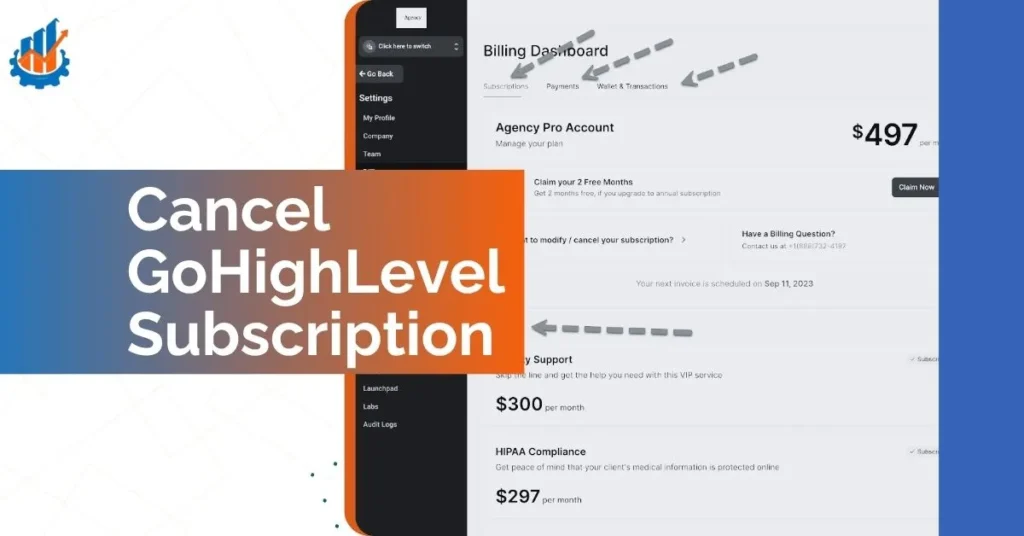
Thinking about how to cancel GoHighLevel or wondering exactly how to cancel your GoHighLevel subscription? You’re not alone.
After using GoHighLevel for over a year on both solo projects and agency work, I realized that canceling your subscription isn’t as simple as clicking “unsubscribe.” The process can be confusing, with unexpected billing terms and surprise auto-renewals.
In this clear, step-by-step guide, I’ll show you exactly how to cancel GoHighLevel safely and avoid extra charges. You’ll learn how to protect your client data and leave on your own terms. I’m not just sharing theory — I’ve gone through this process twice myself and can help you do it smoothly and confidently.
Things to Consider Before Cancelling GoHighLevel
Before you jump into how to cancel GoHighLevel, take a moment to review a few important things. First, check your contract or billing agreement to avoid unexpected charges. If you’re on an annual plan, watch for non-refundable clauses.
Next, review any unpaid invoices linked to your account. Finally, back up all your client data and marketing assets. This ensures you don’t lose important contacts, funnels, or automations before starting the how to cancel GoHighLevel subscription process.
How to Back Up Your Data Before You Cancel
When planning how to cancel GoHighLevel subscription, backing up your data is a crucial step. Start by exporting all your contacts and leads from the CRM. You can download them in CSV format, which makes importing to a new platform easy.
Next, save your funnels and websites. GoHighLevel lets you clone or download funnels, so you can recreate them elsewhere without starting from scratch.
Don’t forget automations and workflows. Document or screenshot your key workflows so you can rebuild them later if needed. If you manage client accounts, make sure you also back up their individual assets.
Taking these precautions before how to cancel GoHighLevel account helps ensure a smooth transition without disrupting your marketing or losing valuable data.
Why You Might Want to Cancel GoHighLevel Subscription
1. Feature Overload with Little Guidance
GoHighLevel tries to be everything: CRM, funnel builder, automation engine, email suite, call center. But all those tools mean one thing: a steep learning curve. Many of my clients felt overwhelmed fast—and the lack of onboarding made things worse.
2. You Missed the Trial Cutoff and Got Charged
One of the most common frustrations I’ve seen (and personally experienced) is getting billed after thinking you canceled the free trial. The trial doesn’t automatically expire—you have to cancel manually, and there’s no reminder email.
3. You’re Not Seeing ROI
A platform this powerful should save you time and generate revenue. But if you’re spending hours setting up automations and seeing little return, it’s a good reason to pause and reconsider.
4. You’re Switching to a CRM That Matches Your Workflow
Some businesses find HubSpot, ClickFunnels, or Kartra more intuitive. If GoHighLevel doesn’t fit your model, switching is the smart move—not a failure..
How to Cancel GoHighLevel Subscription: The Process That Actually Works
Step 1: Log In to the Admin Account
Use your master admin credentials—sub-accounts don’t have access to subscription settings. Go directly to your account dashboard.
Step 2: Head to Settings > Billing
On the left panel, click Settings, then scroll to the Billing tab. This is where your subscription, payment history, and plan details are listed.
Step 3: Find and Click “Cancel Subscription”
Depending on your plan, this might say “Cancel Plan” or “End Subscription.” It’s typically found right next to your current billing tier.
Step 4: Submit Feedback (Optional But Strategic)
A screen will prompt you for feedback. Here’s where you might get offered a pause or discount if you mention issues like “too expensive” or “not enough time.”
My Tip: If you’re unsure about canceling permanently, mention you might return later. Sometimes this triggers a pause option.
Step 5: Final Confirmation Screen
You’re not done until you see a cancellation success message. If you close the browser early or skip this step, your account will stay active—and you’ll get billed again.
What Happens After You Cancel GoHighLevel
Once you go through how to cancel GoHighLevel subscription, you might wonder what’s next. After confirmation, your access to the platform is typically revoked immediately or at the end of your current billing cycle.
Your stored data—such as funnels, automations, and client info—will be deleted according to GoHighLevel’s data retention policies, so you won’t be able to recover them later.
Invoices and past billing records usually remain accessible through email, but you’ll no longer have platform login access. If you decide to come back later, you can reactivate with the same email, but you’ll have to start from scratch.
Whether you’re stopping a paid account or figuring out how to cancel GoHighLevel trial, understanding these post-cancellation details will help you plan your next move with confidence.
Read Also: ClickFunnels vs GetResponse: Which Is Better 2025?
Cancel GoHighLevel Subscription Free Trial: Do It Early
Free trials don’t cancel themselves. I learned this the hard way.
If you’re still in your trial period, you’ll need to follow the exact same process listed above. But here’s what’s critical:
- Do it at least 48 hours before your trial ends.
- You won’t get a reminder from GoHighLevel when the trial is about to expire.
- Once charged, getting a refund is highly unlikely—even if you never used the platform after.
Pausing vs Canceling Your GoHighLevel Account: What’s the Difference?
When you decide it’s time to stop using GoHighLevel, you’re faced with two main options: pausing or canceling your account. Both will stop active billing and platform access, but they work very differently — and choosing the right option can save you headaches later.
1. Pausing Retains Your Account Data
When you pause your GoHighLevel account, all your data stays intact. That means your funnels, automations, client accounts, and contact lists are saved exactly as they are.
Pausing is a great option if you plan to return in the future or need a temporary break without rebuilding everything later. You won’t get charged while paused, but you can pick up right where you left off when you reactivate.
2. Canceling Permanently Deletes Your Account
When you choose GoHighLevel cancel and fully cancel your account, your data is permanently deleted. Once you confirm how to cancel GoHighLevel account, your funnels, workflows, client assets, and saved campaigns will be gone for good (usually within 30 days).
If you don’t need your data or don’t plan to come back, canceling is the cleaner choice. But be absolutely sure you’ve exported and backed up everything first.
3. The Process to Pause or Cancel
The process for pausing and canceling starts the same way:
- Log in to your main GoHighLevel admin account.
- Navigate to Settings > Billing.
- Choose either Pause Account (if offered) or Cancel Subscription.
If you choose pause, you’ll see details on what’s preserved and what changes. If you continue to cancel, you’ll go through final feedback and confirmation screens.
Remember, when deciding how to cancel GoHighLevel subscription, always check if the pause option is available — it’s not shown to everyone by default and sometimes only appears after you start the cancellation process.
4. What Happens to Sub-Accounts
Whether you pause or cancel, your sub-accounts will be affected.
- If you pause, sub-accounts stay inactive, but their data remains stored and safe.
- If you cancel, sub-accounts are shut down permanently along with your main account data.
If you manage client sub-accounts, always notify your clients before making changes. Let them know they will lose access and that they should also export or download their data if needed.
How to Pause Your Account Instead of Canceling
The Pause Feature: Hidden But Useful
Many users don’t know this, but GoHighLevel may allow you to pause your subscription temporarily instead of canceling entirely.
Benefits of Pausing:
- Keeps your data (funnels, contacts, emails) safe
- Stops billing during the pause
- Lets you reactivate without redoing setup
Important: This option isn’t always visible by default. It may appear only after you start the cancellation process or contact support.
Read Also: ClickFunnels vs Leadpages: Best Choice for 2025
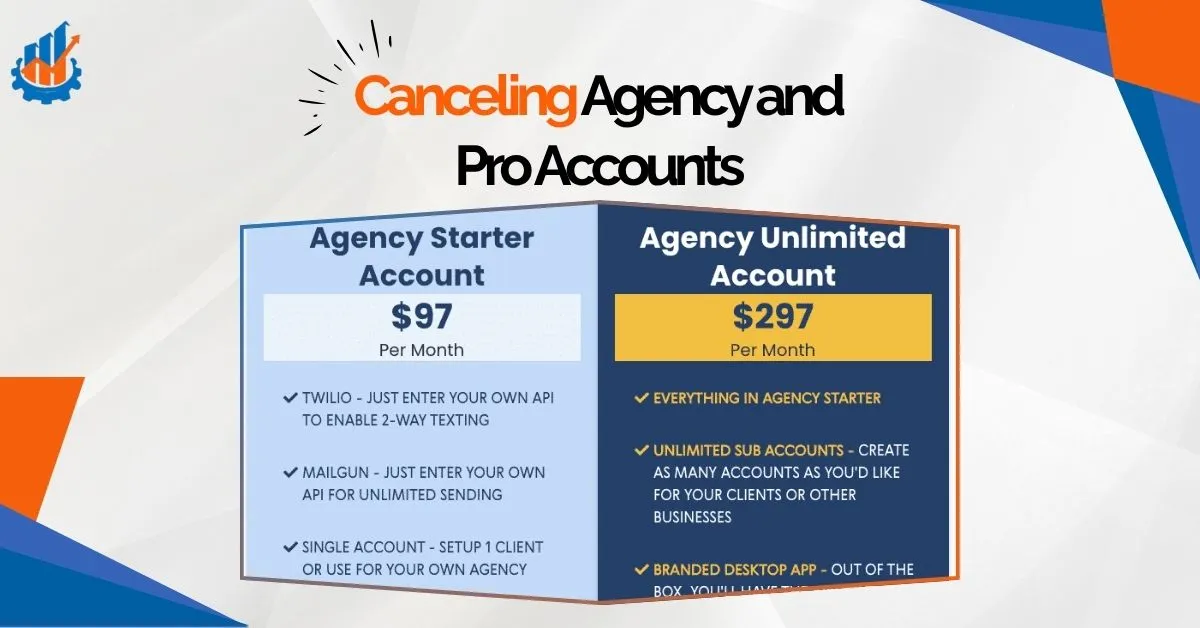
Cancel GoHighLevel Subscription of Agency and Pro Accounts: What to Prepare
If you’re running an agency plan, there’s more at stake. I made the mistake once of canceling too fast—and lost key client automations.
Steps to Take Before Cancelling an Agency Account:
- Notify Clients – They’ll lose access too.
- Download Sub-Account Data – Funnels, campaigns, call logs—export everything.
- Check for Annual Billing – If you prepaid, you likely won’t get a refund for unused time.
- Use Admin Controls Only – Only the master account holder can cancel.
My Advice: Don’t rush the cancel button. Prep like you’re migrating to a new platform. The clean exit will save you days of rebuilding later.
Access and Data
- Once canceled, access ends at the close of the billing cycle (for paid users).
- Trial users lose access immediately.
- Your data—funnels, tags, workflows—is deleted within 30 days.
Billing Stops
You won’t be charged again once you confirm cancellation. But GoHighLevel rarely offers refunds, especially for monthly users.
How to Be Sure You Canceled Properly
- Screenshot your confirmation screen
- Save the email they send (check spam if it doesn’t show up)
- Log back in a day later to confirm you’re downgraded
What Competitor Guides Also Recommend
Many expert cancellation guides on how to cancel GoHighLevel subscription highlight similar concerns, but here’s what makes this experience stand out:
- Many users miss the final confirmation step and end up getting charged.
- The pause feature is underutilized, yet ideal for seasonal marketers or agencies on hold.
- Support is often slow to respond to refund requests—be proactive, not reactive.
- Competitor CRMs like Kartra and HubSpot offer clearer downgrade paths, visible pause options, and more flexible billing logic.
Better Options? Tools I Switched To
If GoHighLevel didn’t click for you, you’ve got options. Here are a few I’ve used or helped clients move to:
| Tool | Strengths | Cost | Try It |
| ClickFunnels | Easy to build funnels | $97+/month | 14-Day Free Trial |
| HubSpot | Great CRM + automation | Free–$800/month | Get Started Free |
| Kartra | All-in-one but simpler setup | $99+/month | 30-Day Trial |
My Take:
- ClickFunnels is super fast for landing pages.
- HubSpot works well if you want clean CRM tools.
- Kartra hits that sweet spot between complexity and usability.
Each one fits a different type of business. It depends on how hands-on you want to be.
Final Thoughts: Cancel GoHighLevel Subscription
Cancel GoHighLevel Subscription – It’s Not as Hard as You Think—but it’s easy to get it wrong. Whether you’re leaving because of cost, complexity, or curiosity about GoHighLevel alternatives, this guide gives you a reliable path out.
I’ve walked this path more than once—for myself and for clients. If there’s one lesson I’d share, it’s this:
Always back up your data. Always confirm your cancellation. And always set a calendar reminder.
When you know exactly how to cancel GoHighLevel subscription properly, you avoid surprise charges and protect your business from unnecessary headaches. Take your time, follow each step carefully, and don’t hesitate to ask for help if needed. Your future marketing setup will thank you for a clean exit.
Ready for Your Next Tool?
Don’t let a bad experience with one platform stop you from growing your business. Here are your best next steps:
🚀 Want Simple Funnel Building?
Start your ClickFunnels 14-day free trial – Clear pricing, easy cancellation, and actual customer support.
📚 Need Hand-Holding?
Join the One Funnel Away Challenge – 90 days of access plus step-by-step training for $100. Perfect for avoiding overwhelm.
🎯 Prefer Traditional CRM?
Try HubSpot free – Start with their free plan and scale up when ready.
Looking for guidance on your next tool? Or not sure if you should pause or cancel? I’m here to help.
Have questions about how to cancel GoHighLevel subscription or need help choosing your next platform? Drop a comment below or reach out directly. I’ve helped dozens of businesses make this transition smoothly.
FAQs: GoHighLevel Cancellation
+
+
+
+
+