Running a small business means wearing many hats. You manage sales, customer relationships, and marketing, often with limited time and resources. That’s where a CRM with marketing automation becomes essential. It helps you store customer data, track interactions, and automate repetitive marketing tasks, all in one place.
In this guide, we’ll cover everything you need to know about finding the best CRM with marketing automation for your business. We’ll explore how it works, its benefits, features to look for, top software options, and how to integrate it with your existing tools. By the end, you’ll have a clear understanding of how to choose a system that supports growth without overwhelming your team.
What Is a CRM with Marketing Automation?
A CRM (Customer Relationship Management) system stores customer information, tracks interactions, and manages sales pipelines. Marketing automation software sends targeted campaigns, scores leads, and nurtures prospects automatically.
When combined, marketing automation with CRM connects your sales and marketing efforts. You can track leads from the first contact to the final sale and keep all communication in one place.
Example: A customer signs up for your newsletter. Your CRM records the lead, and your marketing automation sends a welcome email series. If the customer clicks a link to a product page, your sales team gets notified to follow up.
What Is Marketing Automation and Why It Matters
Marketing automation uses software to run marketing activities automatically. This includes sending emails, scheduling social media posts, tracking website visits, and managing leads.
For small businesses, marketing automation with CRM is especially valuable because it:
- Keeps sales and marketing in sync.
- Automates repetitive work.
- Improves targeting and personalization.
When paired with CRM software for business automation, it becomes more than just a marketing tool—it becomes a complete system to manage customer relationships from the first contact to the final sale.
Best CRM with Marketing Automation for Small Business in 2025
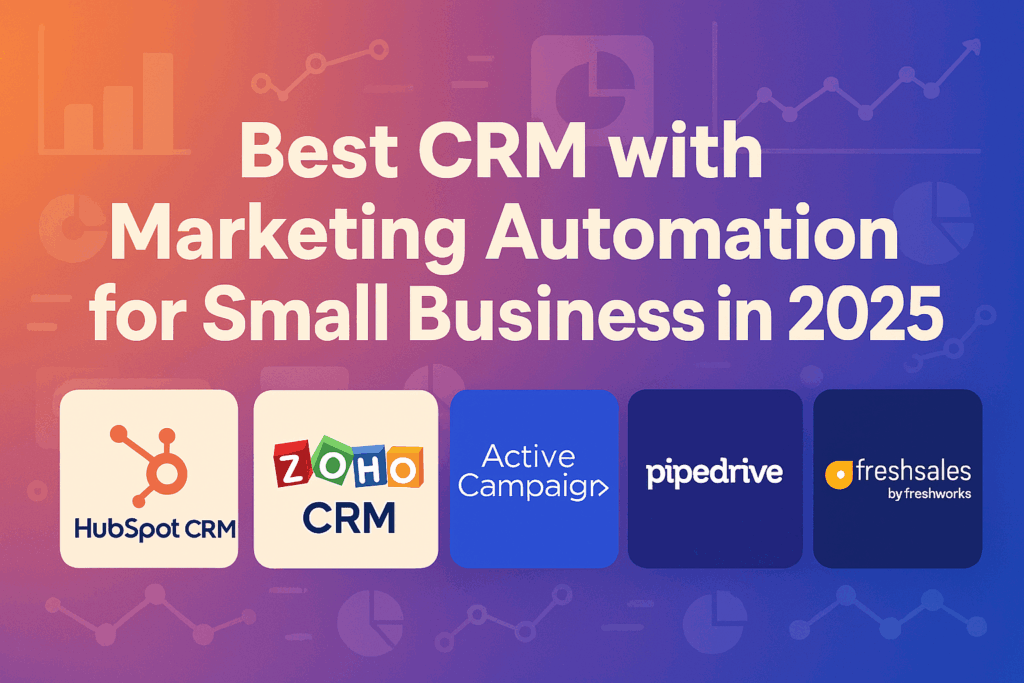
Here are some top options that combine CRM and automation tools suitable for small businesses:
1. HubSpot CRM
- Best for: All-in-one sales and marketing management.
- Offers free CRM with automation features.
- Built-in email marketing and reporting.
- Easy to use for beginners.
2. Zoho CRM
- Best for: Affordable scalability.
- Strong marketing and sales automation with CRM features.
- Integrates with social media and email marketing.
3. ActiveCampaign
- Best for: Advanced marketing automation.
- Powerful email segmentation and workflow building.
- CRM functions are integrated for lead tracking.
4. Pipedrive
- Best for: Sales-focused teams.
- Visual pipelines with marketing automation integration.
- Simple setup for small business owners.
5. Freshsales by Freshworks
- Best for: AI-powered lead insights.
- Includes marketing automation integration with CRM tools.
- Affordable pricing tiers for growing businesses.
Pricing Comparison of the Best CRM with Marketing Automation
| CRM Platform | Starting Price (per month) | Free Plan Available | Key Features |
|---|---|---|---|
| HubSpot CRM | $20 | Yes | All-in-one CRM, marketing automation, sales pipeline, email marketing tools |
| Zoho CRM | $14 | Yes | Lead management, automation workflows, social media integration |
| ActiveCampaign | $19 | No | Email marketing automation, CRM integration, advanced lead segmentation |
| Pipedrive | $14 | No | Visual sales pipeline, automation templates, integrations with marketing apps |
| Freshsales by Freshworks | $15 | Yes | AI-powered lead scoring, automation workflows, email tracking |
Note: Prices are based on entry-level plans as of 2025 and may vary by region or promotional offers.
Why Small Businesses Need CRM Integration with Marketing Automation
Small businesses often work with small teams and tight budgets. Managing contacts and sending marketing campaigns manually takes too much time. CRM integration with marketing automation solves this problem.
Here’s why it matters:
- Saves time: Automates follow-ups, emails, and reminders.
- Improves accuracy: Keeps customer data organized in one place.
- Increases revenue: Nurtures leads until they are ready to buy.
- Improves marketing ROI: Tracks which campaigns bring the best results.
A combined system also helps sales and marketing work together. Marketing knows which leads are most engaged, and sales gets alerts when someone is ready for a call.
Benefits of CRM and Marketing Automation for Small Business
Investing in CRM and marketing automation offers multiple benefits for small business owners:
1. Better Lead Management
You can see where each lead is in the buying process. Automated scoring highlights leads that are most likely to convert.
2. Consistent Customer Communication
Automated email sequences ensure your audience gets the right message at the right time.
3. Sales and Marketing Alignment
Both teams share the same customer data, reducing miscommunication and missed opportunities.
4. Improved Customer Experience
When a customer receives relevant offers based on their past activity, they feel valued.
5. Higher Productivity
Routine tasks like sending follow-ups or updating records are handled automatically.
How to Choose the Best CRM with Marketing Automation

Choosing the best CRM with marketing automation starts with knowing your business goals. If your priority is better customer follow-up, focus on CRM automation tools that offer automated reminders and personalized emails. If you want to grow your customer base, look for marketing automation with CRM that includes lead scoring and segmentation.
Key factors to consider:
- Ease of use: Your team should quickly adapt to the system.
- Integration: Ensure it works with your website, email, and payment systems.
- Automation capabilities: Look for both CRM and automation functions, not just one or the other.
- Scalability: Choose a tool that grows with your business.
- Budget: A free CRM with automation is fine for testing, but plan for upgrades as you expand.
By aligning your selection with your needs, you’ll ensure your CRM software for business automation works as a central hub for sales and marketing.
Key Features to Look for in a CRM with Email Marketing Automation
Not every CRM offers the same tools. When choosing a CRM with email marketing automation, focus on features that support your goals.
- Contact Management: Store and organize customer details in one place.
- Email Campaign Builder: Create and schedule marketing emails.
- Lead Scoring: Rank prospects based on their engagement.
- Workflow Automation: Set up triggers for emails, tasks, and alerts.
- Analytics and Reporting: Track campaign performance and sales results.
- Integration: Connect with tools like your website, social media, or accounting software.
- Mobile Access: Manage your CRM from anywhere.
If you are on a budget, consider a free CRM with marketing automation to start. Many offer basic features that you can upgrade later.
Free CRM with Automation for Small Businesses
If you’re starting small, look for free CRM with automation to reduce costs while still benefiting from automation.
Popular free CRM options:
- HubSpot CRM (free forever plan with basic automation)
- Zoho CRM (free for up to three users)
- Bitrix24 (free with marketing automation tools)
While free plans are useful for testing, paid versions offer more customization and better automation.
How Marketing Automation Integration with CRM Works
When you combine marketing automation with CRM integration, you get a complete picture of each customer’s journey.
Here’s how it works in practice:
- A visitor fills out a form on your website.
- The CRM stores their information and assigns them a lead score.
- The automation tool sends them a welcome email series.
- As they engage, their score increases.
- Once they reach a set score, the sales team is notified to follow up.
This process ensures no lead is ignored, and your messages stay relevant.
CRM Software for Business Automation
Some CRMs go beyond sales and marketing. CRM software for business automation handles scheduling, invoicing, and customer support.
Example automation tasks:
- Sending payment reminders
- Creating tasks for team members
- Assigning leads to specific sales reps
- Sending personalized offers
When everything is automated, your team spends less time on manual work and more on closing deals.
CRM Automation Tools for Small Business
Here are some CRM automation tools worth exploring:
- Keap: Strong small business focus with built-in email marketing.
- Agile CRM: Affordable with a balance of CRM and automation features.
- Insightly: Integrates project management with CRM.
Each tool varies in price, features, and complexity, so choose based on your specific needs.
CRM for Marketing Automation: Best Practices
To get the best results from your CRM for marketing automation, follow these tips:
- Segment your audience: Group contacts based on behavior, location, or purchase history.
- Create targeted campaigns: Send relevant messages instead of generic promotions.
- Automate lead nurturing: Keep leads engaged until they are ready to buy.
- Measure and adjust: Use reports to improve campaigns over time.
- Keep your CRM data clean: Remove duplicates and update outdated information.
Choosing the Best CRM with Marketing Automation
Here’s a quick checklist to help you choose:
- Is it easy for your team to use?
- Does it include the automation features you need?
- Can it integrate with your existing tools?
- Is pricing within your budget?
- Does it offer a free trial?
Tip: If your business is niche-specific, consider specialized guides like Best CRM for Contractors 2025 or Best CRM for Nonprofits 2025.
Final Thoughts
A CRM with marketing automation is no longer a luxury for small businesses. It’s a necessity for staying competitive and keeping customers engaged. Whether you choose a free starter option or invest in a paid platform, integrating marketing automation with CRM helps you save time, improve accuracy, and grow revenue.
By selecting the right tool, you’ll connect your sales and marketing, keep leads moving through your pipeline, and give your customers a consistent, professional experience.