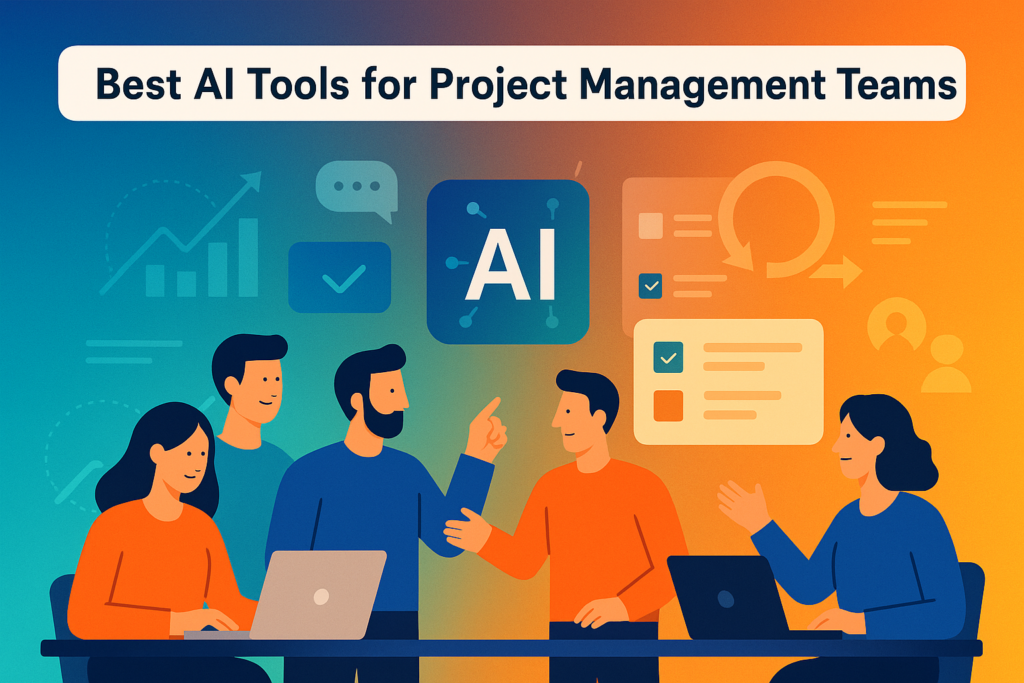
AI is changing how modern teams plan work, track progress, and deliver projects. Many businesses look for AI tools that reduce manual work and improve forecasting. These tools help project managers handle complex workflows, keep teams aligned, and reduce delays.
AI tools for project management now support scheduling, communication, resource planning, and reporting. They process large amounts of project data, identify risks early, and offer suggestions based on patterns. This is why project management AI has become a priority for teams in software development, marketing, operations, and remote work.
Project managers often struggle with time planning, unclear tasks, and shifting priorities. AI and project management work together to solve these problems by improving accuracy and supporting faster decisions.
Digital teams across many industries continue to report clear improvements in delivery speed and accuracy when using AI-driven project management methods.
The tools listed in this guide reflect the direction project management is progressing toward in 2026, with stronger automation, better forecasting, and more reliable decision support.
Table of Contents
ToggleWhat Is AI in Project Management?
AI in project management uses machine learning, automation, and predictive analytics to plan tasks, improve workflows, detect risks, and support better decisions. It reduces manual work and offers insights that help teams deliver projects on time.
AI helps project managers work faster by automating planning, tracking, forecasting, and reporting.
How AI Works in Project Management Tools
AI tools for project management use several machine-based functions to support day-to-day work.
Key AI Functions
- Automated task scheduling based on team capacity
- Predictive time and cost forecasting
- Real-time workload visualization
- Smart risk detection before tasks fall behind
- Automated reporting and dashboards
- AI assistants that draft messages, notes, and updates
These functions allow teams to focus on important tasks instead of spending time on administrative work.
Benefits of AI Tools for Project Management Teams
AI-powered project management tools deliver clear value across different teams and workflows.
1. Accuracy & Forecasting
AI improves project forecasts by analyzing data. This helps teams estimate delivery timelines with more accuracy and plan resources with fewer errors.
2. Automation & Time Savings
AI tools remove repetitive tasks. They send automatic reminders, update timelines, assign tasks, and prepare weekly summaries.
3. Improved Resource Allocation
AI identifies when workloads are uneven. It suggests better task distribution and helps managers prevent burnout.
4. Better Risk Management
AI detects patterns that signal upcoming delays. This helps project managers intervene before problems grow.
5. Real-World Example
A software development team using machine-based estimations cut sprint delays by reducing planning errors. AI reviewed previous sprints and suggested realistic workloads that improved delivery over several months.
Best AI Tools for Project Management in 2026
Below are the top AI-powered project management tools teams will rely on in 2026.
1. Notion AI
Notion AI supports notes, documentation, and task management in one place. It creates summaries, drafts task descriptions, and improves meeting notes. Teams use it to simplify writing and planning.
2. ClickUp AI
ClickUp AI suggests task improvements, writes documents, and automates workflows. Its project recommendations help teams review tasks faster.
3. Monday.com AI
Monday.com uses machine predictions to help teams plan schedules. It offers automated reports, dashboard insights, and helpful suggestions for upcoming tasks. Start improving your team’s workflow today by signing up for Monday.com and explore its AI-powered project management features.
4. Asana AI
Asana AI supports workflow automation and risk prediction. It reviews work graphs to identify blocked tasks and suggests next steps.
5. Wrike AI
Wrike’s AI assistant provides suggestions for timelines and dependencies. It improves team coordination by predicting delays early.
6. Jira AI (Atlassian Intelligence)
Jira AI improves issue tracking with automatic classification and suggested updates. It helps teams plan sprints with better estimates. For a full walkthrough of workflows and sprint planning, see the Jira Agile Project Management Guide for Teams.
7. Trello AI Power-Ups
Trello AI Power-Ups add automation. Cards move automatically when conditions are met. It also suggests next steps based on board activity.
8. Basecamp AI
Basecamp AI drafts summaries for chats and documents. It helps teams stay updated without reading long message threads.
9. Smartsheet AI
Smartsheet AI helps with enterprise workflow automation. It supports document analysis, smart suggestions, and large project planning.
10. Project Read AI
Project Read AI is a newer tool. It focuses on prediction modeling and risk detection. Teams use it to plan complex projects with less guesswork.
AI-Powered Features to Look For in 2026
1. Smart Automation
Automated project management workflows reduce manual effort. Reports update themselves without extra input.
2. Predictive Analytics
Teams receive estimates for timelines, budgets, and risk levels. This helps with accurate planning.
3. Resource Intelligence
AI reviews workloads and suggests changes before tasks pile up. It helps prevent burnout and improves team balance.
4. Collaboration Enhancement
AI assistants write meeting notes, summarize long updates, and help teams understand project status faster.
AI Tools for Different Team Types
AI tools are helpful across many industries.
1. For Software Development Teams
- AI sprint estimations
- Backlog refinement suggestions
- Smart testing recommendations
2. For Marketing Teams
- Automated content calendars
- Campaign prediction modeling
- Smart audience targeting
3. For Operations and HR Teams
- AI-based hiring workflows
- Team capacity analysis
- Time-off and shift planning
AI Tools vs Traditional Project Management Tools
Key Differences Explained
| Feature | AI Tools | Traditional Tools |
| Automation | High | Low |
| Forecasting | Predictive | Manual |
| Risk Detection | Real-time | After problems occur |
| Workload Planning | AI-driven | Manager-driven |
| Reporting | Instant | Manual |
AI tools remove guesswork. Traditional tools depend on manual updates, which lead to more errors.
Privacy, Data Security, and Ethical Concerns
AI tools process sensitive data. Teams need tools that follow strict privacy rules to build trust.
What Teams Should Check
- Data compliance and certifications
- Clear model transparency
- AI accuracy standards
- Secure vendor systems
Before adopting a new tool, review its privacy policy and data handling practices.
How to Choose the Best AI Project Management Tool
Selecting the best AI tool depends on your team’s work style and needs.
Match Tool Features With Team Needs
- What tasks take time now?
- What repetitive work slows down your team?
- Do you need automation or forecasting?
Budget, user experience, and integration options also matter.
Checklist
Use this quick checklist to make a decision:
- Does it support predictive insights?
- Does it automate repetitive tasks?
- Does it improve visibility for your team?
- Does it integrate with your current tools?
Conclusion — AI Tools Are Shaping the Future of Project Management
AI tools for project management reduce manual work and support faster decisions. They improve forecasting, reduce errors, balance workloads, and help teams stay productive. As more companies adopt AI, project managers use these tools to manage daily planning and delivery with greater accuracy.
Continue learning about the best tools and guides on BetterBizTools. Start using smarter workflows today.
👉 Explore more resources on BetterBizTools
👉 Download our Free Business Toolkit
Follow BetterBizTools:
Facebook | LinkedIn | Instagram | Pinterest
FAQs About AI Tools for Project Management
+
+
+
+
+
+
+
+