

Agile project management has become the standard for modern teams. Whether you are leading a software development squad or running cross-functional marketing projects, Agile helps teams deliver faster, adapt quickly, and stay aligned with business goals.
Among all Agile project management tools, Jira Agile project management stands out as the leading choice in 2025. With its robust features, flexibility, and deep integrations, Jira continues to dominate the Agile software market for small businesses, enterprises, and everything in between.
This complete guide covers everything you need to know about Agile project management in Jira: features, pricing, how to get started, comparisons with alternatives, and advanced tips to get the most out of Jira in 2025.
What Is Jira Agile Project Management?
Jira is an Agile project management tool developed by Atlassian. Initially designed for bug and issue tracking, it has evolved into a full-featured Agile platform trusted by over 100,000 teams worldwide.
With Jira, teams can manage sprints, backlogs, epics, user stories, Kanban workflows, and product roadmaps. The tool adapts to multiple Agile methodologies, including Scrum, Kanban, and hybrid approaches.
Key Elements of Agile Project Management in Jira
- Agile Boards – Visual task management using Scrum or Kanban boards.
- Sprints – Time-boxed work periods for Agile teams.
- Epics & Stories – Break large initiatives into smaller tasks.
- Backlog Management – Organize, prioritize, and refine tasks.
- Roadmaps – Track long-term initiatives alongside sprints.
Who Uses Jira?
- Software development teams managing code sprints.
- IT teams tracking service requests and incidents.
- Startups that need structure while scaling.
- Enterprises running multiple Agile projects across departments.
Jira Features Every Agile Team Needs in 2025

Jira is more than a simple task tracker. It’s a complete Agile project management tool designed to streamline planning, execution, and delivery.
Here are the standout features:
1. Scrum Boards
Scrum teams can manage sprints, view backlog items, and track velocity in real time. The board displays each story, task, and bug, moving seamlessly through the workflow.
2. Kanban Boards
For teams practicing continuous delivery, Kanban boards enable flexible and visual task tracking. Work-in-progress (WIP) limits can be set to improve efficiency.
3. Roadmaps
Roadmaps help teams see the bigger picture. Managers can track progress on large epics and communicate timelines with stakeholders.
4. Reporting and Dashboards
Jira provides Agile reports like burndown charts, sprint reports, velocity charts, and cumulative flow diagrams. Teams can create custom dashboards for different stakeholders.
5. Integrations
Jira integrates with 3,000+ tools, including Slack, GitHub, Confluence, and CI/CD platforms. In 2025, Jira Cloud will also offer native AI-powered automation.
Jira Pricing in 2025
Pricing often determines whether a team chooses Jira or explores alternatives. Here’s a breakdown of Jira’s plans:
- Free Plan – Up to 10 users, bare Agile boards, backlog management, reporting.
- Standard Plan ($8.15 per user/month) – Adds advanced permissions, audit logs, and storage.
- Premium Plan ($16 per user/month) – Advanced roadmaps, capacity planning, automation, guaranteed uptime SLAs.
- Enterprise Plan (Custom pricing) – For organizations managing 1,000+ users with centralized security and compliance.
👉 If you are testing Agile project management using Jira for the first time, the free plan is a good starting point. Growing teams should consider Premium for automation and advanced reporting.
How to Use Jira for Agile Project Management
Getting started with Agile project management using Jira can feel overwhelming, but once you understand the basics, it’s straightforward.
Step 1: Create Your Project
Choose between a Scrum or Kanban template. Jira guides you with default workflows.
Step 2: Build Your Backlog
Add epics, stories, and tasks. Assign them to team members and prioritize.
Step 3: Plan a Sprint
Drag items from the backlog into a sprint. Set start and end dates.
Step 4: Run Your Sprint
Move tasks across the board as work progresses. Daily stand-ups become more focused with visual updates.
Step 5: Review and Retrospective
At the end of each sprint, analyze reports (burndown charts, velocity). Use retrospectives to improve the next cycle.
Step 6: Automate Workflows
Jira Cloud now offers AI automation, reducing repetitive tasks such as task assignments and status updates.
Jira for Different Teams
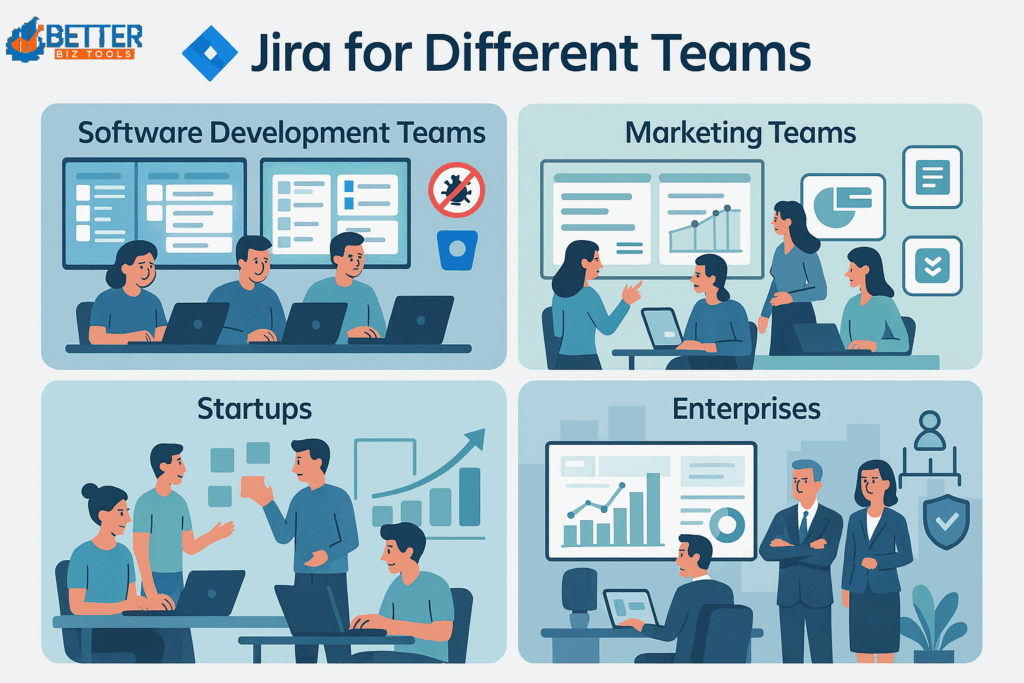
Jira is flexible enough to serve more than software developers. It adapts to startups, marketing teams, and large enterprises with tools that scale to different needs.
1. Software Development Teams
- Agile boards: Plan sprints with Scrum or Kanban.
- Bug tracking: Log, assign, and resolve issues quickly.
- DevOps integration: Connect with GitHub, Bitbucket, and Jenkins.
- Example: A dev team manages a full release cycle in Jira, from sprint planning to QA.
2. Marketing Teams
- Campaign planning: Track blogs, designs, and approvals.
- Cross-team work: Collaborate with sales, product, and design.
- Custom dashboards: Measure campaign timelines and results.
- Example: A content team organizes blogs, SEO, and social posts in one board.
3. Startups
- Scalable workflows: Start simple, grow into advanced boards.
- Transparency: Founders see tasks and priorities in real time.
- Cost-efficient: Pricing fits small and growing teams.
- Example: A SaaS startup manages product updates and marketing in one place.
4. Enterprises
- Security and compliance: SSO, permissions, and standards support.
- Centralized control: Manage multiple teams on one platform.
- Reporting: Analytics help leaders track KPIs at scale.
- Example: A multinational aligns HR, dev, and customer service in Jira.
Jira vs Other Agile Tools (Quick Comparisons)
Jira is not the only Agile project management tool. Here’s how it stacks up against competitors:
Jira vs Trello
- Jira: Feature-rich, scalable, ideal for dev teams needing sprints, bug tracking, and reporting.
- Trello: Simple, visual Kanban boards for small teams or lightweight tasks.
Trello is a great starting point, but growing teams often transition to Jira.
Jira vs Asana
- Jira: Strong in Agile methods, reporting, and software project tracking.
- Asana: Better for collaboration and marketing workflows, but not sprint-focused.
Jira fits tech teams; Asana works best for non-technical, cross-functional teams.
Jira vs ClickUp
- Jira: Proven for large-scale Agile, with deep dev integrations.
- ClickUp: All-in-one platform for docs, chat, and tasks, but less Agile-focused.
Choose Jira for Agile depth, ClickUp for all-in-one flexibility.
Top Jira Alternatives in 2025

While Jira is the leader, teams sometimes need alternatives.
- Trello – Visual task boards.
- Asana – Simple collaboration tool.
- ClickUp – Flexible all-in-one platform.
- Monday.com – Strong for scalable workflows.
- Wrike – Best for enterprise-level collaboration.
👉 See our complete guide: [Top 10 Agile Project Management Software for Teams in 2025]
Advanced Jira Tips & Tricks for Agile Success
When teams aim to maximize efficiency with Jira and Agile project management, they often overlook powerful, yet hidden, features. Mastering these advanced capabilities can transform Jira from a basic tracker into a strategic Agile project management tool.
AI Integrations in Jira
Artificial intelligence is reshaping how teams use Jira Agile project management in 2025:
- Predictive Sprint Planning – AI analyzes past sprint velocity to suggest more accurate workload estimates.
- Automated Insights – Get instant health checks on team progress, bottlenecks, and upcoming risks without manual reporting.
- Intelligent Work Prioritization – AI helps identify which backlog items will have the highest impact.
Best Jira Plugins & Add-Ons
Jira’s marketplace is full of powerful extensions that make it one of the most flexible Agile project management tools. Top picks include:
- Time Tracking Add-ons – For accurate billable hours and performance monitoring.
- Test Management Tools – Seamlessly manage QA, automated tests, and bug reporting within Jira.
- Advanced Reporting Plugins – Unlock deeper insights with Gantt charts, burndown reports, and multi-team dashboards.
These plugins turn the Jira Agile project management tool into a customized solution for any team.
Productivity Hacks
Boost everyday efficiency in Jira with these expert hacks:
- Keyboard Shortcuts – Quickly create issues, move tasks, or switch views without clicks.
- Power Filters & JQL (Jira Query Language) – Save time by creating advanced filters to track precisely what matters most.
- Custom Dashboards – Build role-specific dashboards (for developers, managers, or marketers) to ensure everyone sees what’s most relevant.
With these advanced features, Jira and Agile project management go beyond simple task tracking, empowering teams to predict outcomes, optimize workflows, and deliver projects faster.
Conclusion: Is Jira the Right Agile Tool for Your Team in 2025?
Jira remains the most trusted Agile project management tool in 2025. It’s ideal for software development teams, yet flexible enough for startups, marketing teams, and enterprises.
If your team needs Scrum boards, sprints, advanced reporting, and automation, Jira is the tool to choose. However, if simplicity or cost is your top priority, consider alternatives like Trello or Asana.
Still unsure if Jira is the right fit for your team? BetterBizTools provides expert comparisons, hands-on guides, and unbiased reviews of leading productivity software to help you choose wisely.
👉 Want to explore more tools like Jira? Download our Free Business Toolkit here and discover a curated list of top solutions to keep your team ahead.
Stay connected with us for more tips and updates: