
In 2026, project management tools are no longer optional. To stay on track and meet deadlines, all businesses, big and small, need structured systems to organize work. Jira vs. Trello is one of the most popular choices in the debate. Atlassian makes both tools, but they are for very different kinds of people.
Jira is the best tool for managing Agile projects for software teams, while Trello is the best tool for those who prefer simple visual boards. It’s not just about the features; the real question is which platform strikes the right balance between usability, scalability, and value.
Want a quick comparison of top tools beyond Jira and Trello? Download our Free Business Toolkit here to explore the best productivity solutions for your team.
By the end of this article, you’ll know which tool is best for your team in 2026 because it compares Jira and Trello based on their features, pricing, task management, user experience, and reviews.
What is Jira?
Jira is a project management platform built primarily for Agile teams. It was first made to keep track of bugs, but now it can be used for all kinds of project management, including Scrum, Kanban, and enterprise-level projects.
What is Trello?
Trello is a visual project management tool that uses boards, lists, and cards. Its simplicity makes it one of the easiest platforms to adopt for personal and professional use.
What is the Difference Between Jira and Trello?
The main difference between Jira and Trello lies in complexity and purpose.
| Feature | Jira | Trello |
| Target users | Software & enterprise teams | Small teams, individuals |
| Workflow style | Agile, Scrum, Kanban | Kanban only |
| Learning curve | Steep | Very easy |
| Customization | Advanced | Limited |
| Scalability | Enterprise-level | Best for small projects |
Companies prefer Jira for organized workflows, Agile reporting, and scalability. Teams prefer Trello for its simplicity over complex functionality.
Jira vs Trello – Task Management

Task management is the most important part of any project management software, and this is where the difference between Jira and Trello becomes most clear. Both tools organize tasks in different ways, depending on the size of the team and how they work.
Jira: Structured Task Management for Agile Teams
Jira is designed with software development and Agile project management in mind. Instead of simple task lists, it uses a structured hierarchy:
- Issues – Represent individual tasks or bugs.
- Subtasks – Allow tasks to be broken down into smaller, manageable pieces.
- Epics – Larger bodies of work that can be divided into multiple issues.
- Sprints – Time-boxed iterations where issues are completed.
This structure works well for Scrum and Kanban teams. It holds departmental teams accountable, lets them see everything, and tracks everything.
Key Benefits of Jira Task Management:
- Can handle hard projects with a lot of dependencies.
- There are built-in agile boards for Scrum and Kanban workflows.
- Advanced reporting includes things like burndown charts and tracking velocity.
- It helps you set priorities, deadlines, and dependencies.
But Jira is so complicated that teams that aren’t technical might have trouble using it at first. To set up and manage tasks correctly, you need to go through the onboarding process.
Trello: Simple and Visual Task Tracking
Trello works in a very different way. It doesn’t have a set hierarchy; instead, it has visual boards, lists, and cards that show what needs to be done. What makes it appealing is how easy it is:
- Cards – Represent tasks or to-dos.
- Lists – Represent stages (e.g., To Do, In Progress, Done).
- Boards – Represent projects or workflows.
You can add checklists, labels, attachments, and due dates to each card. You can easily see how far you’ve come by dragging and dropping cards between lists.
Key Benefits of Trello Task Management:
- Quick to set up with zero learning curve.
- Highly visual and easy for anyone to understand.
- Perfect for small projects or personal task tracking.
- Integrates with Power-Ups (like Calendar, Google Drive, Slack).
The limitation? Trello struggles with complex jobs. As projects grow and cards pile up, dependencies, advanced reporting, and leveled task divisions become tougher to track.
Jira vs Trello – User Experience
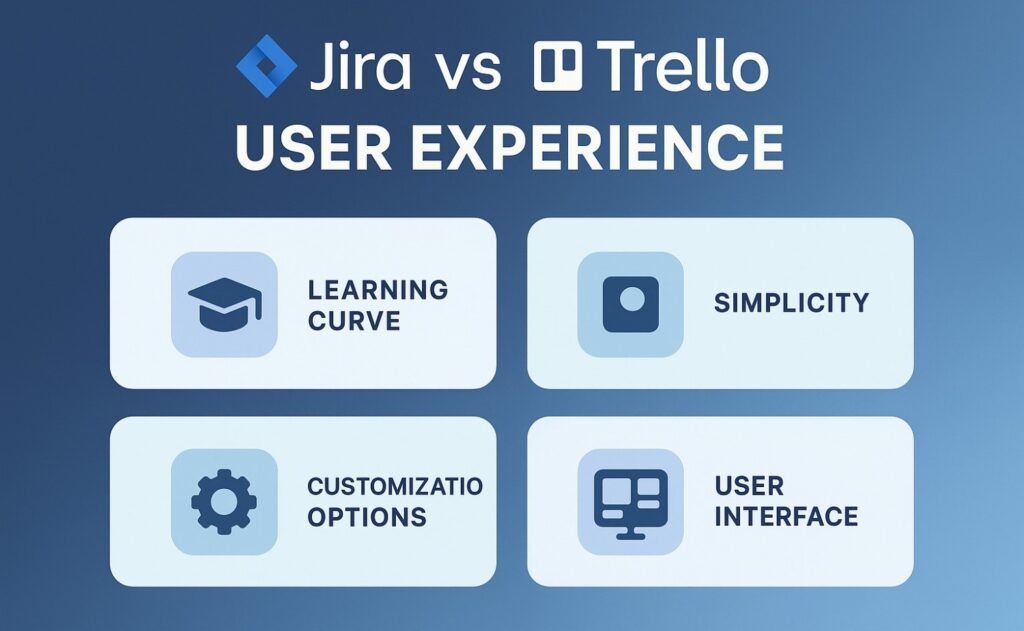
When choosing between Jira and Trello, the user experience is very important. Both tools are made for different groups of people, and their pros and cons become clear when you look at them through four lenses:
1. Learning Curve
Trello is beginner-friendly. The card-and-board system simplifies task creation, due dates, and progress monitoring. With little training, teams may work immediately.
Jira is challenging to learn. First-timers may find its many features, workflows, and menus overwhelming. Teams that can invest time and money in Jira training are better.
2. Simplicity
Trello is the best when it comes to being simple. It’s easy to keep track of projects with drag-and-drop cards. But as the number of cards grows, it can be hard to keep track of them all.
Jira is strong and feature-rich. Developers and Agile teams benefit from its tools. However, it is more difficult, therefore teams must spend more time studying its characteristics..
3. Customization Options
You can change things like due dates, checklists, and labels in Trello. Teams use Power-Ups (integrations) to add more features, but these can make things more expensive and complicated.
JIRA is very customizable right away. Teams can customize fields, workflows, and reports. This flexibility is great, but too much personalization can complicate things if not managed correctly.
4. User Interface
Trello’s Kanban-style boards are easy to use and intuitive, making them great for managing tasks and teams of small to medium size.
Jira’s interface is less simple, but it’s made for people who are good with technology. It has powerful dashboards, detailed reporting, and built-in Agile features that make it a great choice for teams working on complicated projects.
Feature Comparison in 2026
| Feature | Jira | Trello | Together |
| Automation & Integrations | Advanced automation, developer-friendly, GitHub & CI/CD integrations | Butler automation, Zapier integrations | Connect workflows for hybrid teams |
| Collaboration & Team Mgmt | Role-based permissions, detailed audit logs | Simple collaboration with comments, mentions, attachments | Balance of simplicity + depth |
| Scalability & Customization | Enterprise-level complexity handling, advanced reporting | Best for small-scale projects, limited customization | Use side by side for different team needs |
Trello vs Jira Pricing in 2026
In Jira vs Trello 2026, both tools provide free plans but differ in pricing models. Trello stays simple and affordable for small teams, while Jira scales better for Agile and enterprise needs.
Trello Pricing (2026):
- Free plan – $0: Unlimited cards and up to 10 boards per workspace
- Standard plan – $5 per user/month
- Premium plan – $10 per user/month
- Enterprise plan – $17.50 per user/month (based on 50 users; per-user cost decreases with scale)
Jira Pricing (2026):
- Free plan – $0: Up to 10 users with 2 GB storage
- Standard plan – $7.53 per user/month (supports up to 50,000 users)
- Premium plan – $13.53 per user/month
- Enterprise plan – Custom pricing for large organizations
Jira Pros and Cons
Pros
- Strong Agile project management (Scrum, Kanban).
- Highly customizable workflows and fields.
- Scales well for large teams.
- Advanced reporting and integrations.
Cons
- Steep learning curve.
- Higher cost at scale.
- Complex setup and maintenance.
Trello Pros and Cons
Pros
- Simple and intuitive to use.
- Free and budget-friendly plans.
- Great for visual task management.
- Flexible for small teams and personal projects.
Cons
- Limited advanced features.
- Weak for enterprise-level needs.
- Difficult to manage very large projects.
Which tool, Jira or Trello, is best for your project?

The health of your project depends a lot on which project management tool you choose. And your choice depends a lot on what you want to get out of it.
Before you choose one of the tools, think about your choice based on the following factors:
1. Type and size of the project
Trello is a great choice if your workflow is like a waterfall. Cards and lists make it easy to keep track of your tasks. Trello might not be the best tool for you if your workflow has a lot of complicated dependencies.
Jira helps teams manage complex, multi-layered projects and dependencies. Its extensive bug and issue tracking capabilities give you granular project lifecycle control.
2. The number of people on the team
Individuals and freelancers can use Trello’s free plan, which comes with unlimited cards and a personal board. If you have a small team and are working on simple projects, though, you might want to get a paid pricing plan.
Jira offers free plans. Some may become lost in its intricate structure. Jira helps larger teams with complex projects or data-driven tasks complete more than Trello.
3. Type of team
Trello works for every team with a straightforward process. Jira suits software development teams. It improves project management and product development cycle organization.
The platform is flexible and can be used by other business teams as well. Here are some examples of how JWM can be used:
- Marketing teams
- HR teams
- Sales teams
- Finance teams
- Operation teams
- Legal teams
- Design teams
4. Methods for managing projects
Both tools meet the different needs of agile teams. Trello is great for Kanban because it encourages visualization throughout the workflow. And it works well for projects that go through linear iterations.
Jira is Scrum and Kanban-compatible. You can create issues, track issue backlogs, plan sprints, and track sprint progress. Jira may not be for you if you don’t understand.
Migration: How to Migrate Trello to Jira
Some teams outgrow Trello and move to Jira.
Steps to migrate Trello to Jira:
- Export Trello boards in JSON or CSV format.
- Use Jira’s migration assistant or third-party apps.
- Map lists and cards to Jira’s issues and subtasks.
- Validate imported data.
Challenges
- Data formatting issues.
- Workflow adjustments for teams new to Jira.
Final Verdict: Trello vs Jira – Which One to Choose in 2026?
Both Trello and Jira remain strong project management tools in 2026.
- Trello: Best for simplicity, visual task tracking, and affordability. Ideal for individuals, startups, or small teams.
- Jira: Best for complexity, Jira Agile Project Management, and enterprise scalability. Ideal for organizations managing large-scale or cross-functional projects.
The right decision depends on your goals. If your team wants quick setup and easy adoption, go with Trello. If you need advanced Agile project management, choose Jira.
👉 Want more options beyond Jira vs Trello? Download our Free Business Toolkit here from BetterBizTools and explore the best Jira alternatives in 2026 to find the perfect fit for your team.
Stay connected with us for more productivity insights:
FAQs About Jira vs Trello
+
+
+
+
+